
Run your coaching centre, end to end.
Enquiries, admissions, the fee desk, attendance, tests marked from OMR sheets and results, with an app for students and parents. Each centre gets its own portal under its own name and logo.
- Tuition centres
- JEE and NEET coaching
- Board exam coaching
- Competitive exam coaching
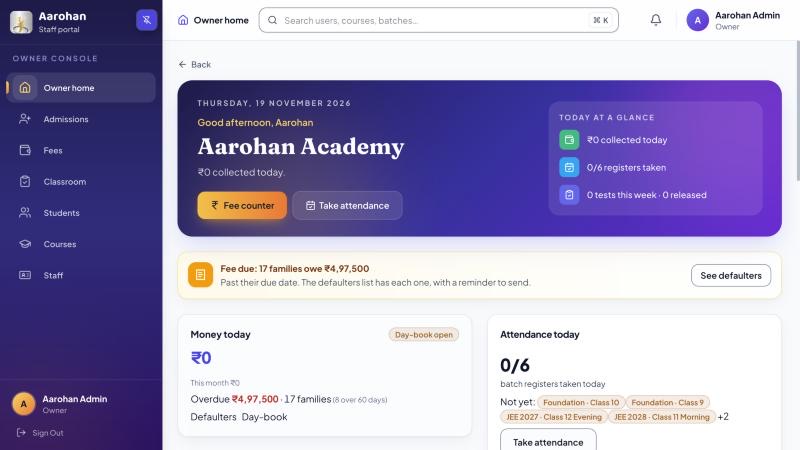
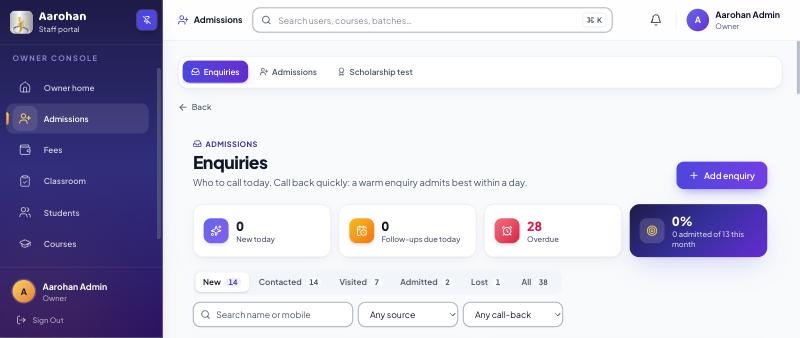
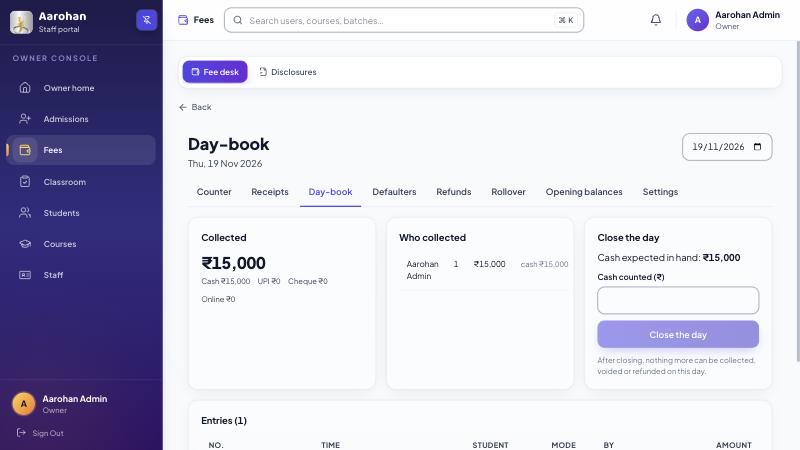
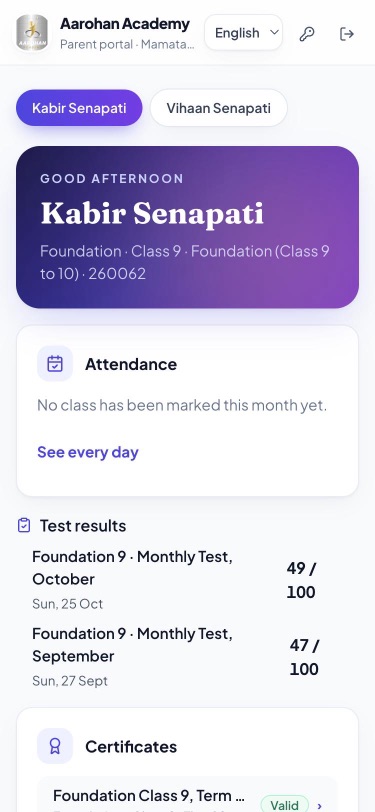
Screens from a demo centre with made-up students.
What it covers
The front desk, the fee desk and the classroom, in one place.
-
Enquiries and admissions
Every enquiry followed up, from the first call to admission.
- Enquiries from walk-ins, phone calls and your centre's own web form.
- Each one moves from new to contacted, visited and admitted, with a follow-up date and notes.
- A list of follow-ups due today and overdue.
- Admit opens the admission form already filled in.
-
Fee desk
Collect at the counter, print the receipt, see who owes what.
- Cash, cheque, UPI to your centre's own UPI ID, and online payments through your centre's own Razorpay account. KoolGuru never handles the money.
- PDF receipts with your GSTIN, instalments, discounts with approval and refunds.
- A day-book, and an overdue list grouped by how late each payment is.
-
Attendance
Teachers mark only who is absent.
- Import logs from a biometric or RFID machine as a CSV or Excel file.
- A monthly attendance PDF.
- Parents see attendance in their app.
-
Tests and results
Paper tests, marked for you.
- Print OMR sheets, then read them from a scan or a phone photo, or type the marks in.
- Automatic marking with JEE Main, NEET, JEE Advanced or your own marking scheme.
- Answer keys with a window for students to raise a challenge.
- Each student and parent sees a private result card.
-
Certificates
Certificates anyone can check.
- Each certificate has a code that anyone can check on your centre's page.
-
An app for students and parents
Installs from the browser on any phone.
- Students see their timetable, fees, results, certificates and course material.
- Parents see results, fees and attendance, and give or withdraw consent.
- In English, Hindi and Odia. The staff portal is in English.
-
Your centre's own portal
Your name and logo, on your own web address.
- A web address of your own on koolguru.in, and a separate one for your staff.
- A public page with your courses, an enquiry form, a scholarship test page and the certificate check.
-
For the owner
The centre at a glance.
- An owner home screen, and a weekly report by email.
- Roles for the owner, manager, accountant, counsellor and teachers.
-
Moving in
Bring your students with you.
- Import students from an Excel file, and undo an import within 24 hours.
-
Families' data
Most students are children, so we keep it careful.
- A parent's consent is recorded before a student's data is used.
- No analytics, advertising or tracking tools in the apps.
- Your centre can see when our support team opened its accounts.
Getting started
Three steps to your own portal.
- 1Register your centre
Tell us about your centre on the registration page. It takes two minutes.
- 2We set it up
We create your centre with your name and logo, and send the owner a first sign-in.
- 3Bring your students
Import them from Excel, set up courses and batches, and open the fee desk.
Questions centre owners ask
How much does it cost?
Please contact us. We will talk through your centre and send you a proposal.
Is there an app on Play Store?
Not yet. The student and parent app installs from the browser on any phone, and works like an app.
Which languages does it support?
The student and parent app is in English, Hindi and Odia. The staff portal is in English.
Can students take tests online?
Tests are on paper today. KoolGuru prints OMR sheets, reads them from a scan or a phone photo, and marks them for you.
Do parents get SMS or WhatsApp messages?
Not yet. Parents see attendance, fees and results in their app.
Does KoolGuru take a cut of fees?
No. Online payments go straight to your centre's own Razorpay account, and cash, cheque and UPI go to you directly.
How do we start?
Register your centre. We set it up with your name and logo and send the owner a first sign-in.